
Ашиглаж болох салбарууд
Дрон
Нэмэлт тоног төхөөрөмж
Dock
Программ
DJI Modify
DJI MODIFY
Shaping the World
DJI Modify is DJI’s first intelligent 3D model editing software. It features a streamlined and intuitive interface that makes it simple to complete model editing efficiently. Paired with a DJI Enterprise drone and DJI Terra, it forms a comprehensive solution from aerial surveying, modeling, and model editing to sharing these models easily to meet operational needs in surveying and mapping, firefighting, emergency response, and transportation.
DJI Terra and DJI
Modify Seamless Workflow
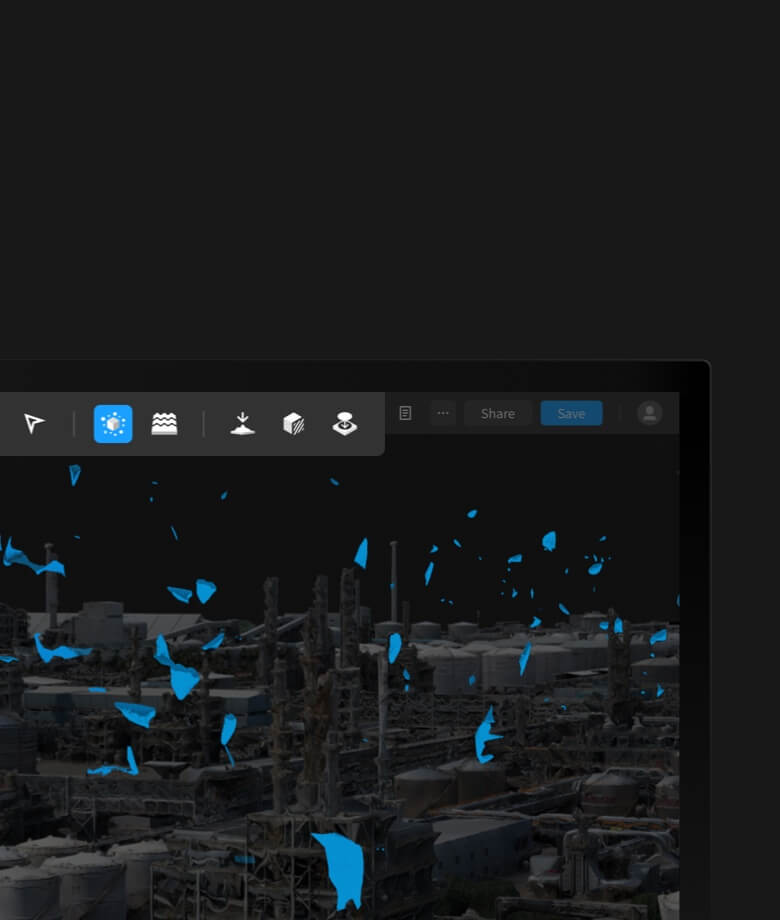
Streamlined Interaction
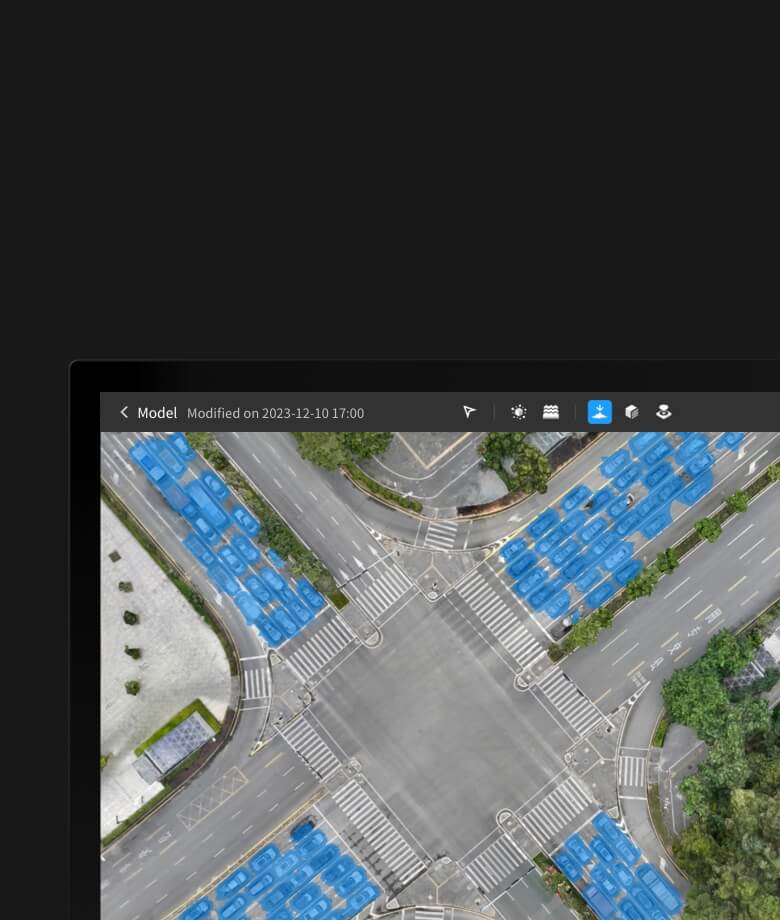
Smart Model Recognition
Auto Repair and Batch Repair
Built-In Texture Editing Tool

Cloud Sharing
Quick Delivery
DJI Terra and DJI Modify Seamless Workflow
In a DJI Terra 3D modeling project, you can launch DJI Modify with one click for model editing for an efficient workflow and an end-to-end solution from modeling to model editing. In DJI Terra, enable the DJI Modify switch, and files for model editing will be automatically generated, including pre-identified objects and pre-processing of the model, so that you can complete model editing efficiently.
Intuitive and Effortless
Straightforward Interface, Simple Operation
Efficient Workflow
High and Low-Quality Models in One Interface
DJI Modify's streamlined interface fosters a more intuitive interaction. Get started rapidly without investing extensive effort to get familiar with the software. Intuitive controls and practical, easy-to-use editing tools reduce manual effort, simplifying the model editing process.

Efficient 3D Model Repair
Floating Parts Removal
Multiple Selection Methods
Beyond mouse-framing to select masses of floating parts or clicking to pick individual ones for a single selection (each single selection replaces the previous one), DJI Modify also supports grouping selection results with the Add to Selection and Subtract from Selection functions. These allow you to select the floating parts accurately without repeatedly loading high-quality models or manually selecting them.
One-Click Removal
After selecting the floating parts, you can easily remove them using the Remove Floating Parts button in the interface or the Delete/Backspace key on your keyboard, facilitating convenient, fast removal. You can also quickly preview the model after the removal.
Flattening
Multiple Selection Methods
Vehicle Flattening and Texture Repair
One-Click Flattening
Supports mouse-framing a polygon for a single selection of a region (replacing the previous selection) or grouping selection results with the Add to Selection and Subtract from Selection functions for selecting irregular regions as needed.
Texture Repair
Polygon Select
Erase
Clone
DJI Modify supports repairing textures within a polygonal selection, making refining the model's irregular regions simple.
Hole Fill
Hole Contour Detection
Frame/Click Select
Custom Select
One–Click Fill
DJI Modify automatically and accurately identifies holes in the model, outlining and highlighting the contours to eliminate the need for manual work.
Water Surface Repair
Custom Range
You can create and adjust the water surface on the model, tweaking the range, height, shape, and position to suit the model better.
Quick Generation
While drawing the water surface, DJI Modify smartly fills it with either texture patterns or a chosen custom color, swiftly generating a smooth water surface in real time to optimize the repair of water scenes.
Point Cloud Editing
Automatic Point Cloud Classification
Intelligent Point Cloud Selection
Manual Point Cloud Classification
Terrain Result Generation
Support one-click point cloud classification and quickly generate classification results. Support switching display modes such as RGB, type, reflectivity, and height, and adjust the overlay RGB display intensity for quick preview of the generated results.
Cloud Sharing, Quick Delivery
DJI Modify renders and exports models rapidly in many formats, such as ply, obj, and b3dm, which are compatible with DJI Terra and third-party software. Processed models can be quickly shared to the cloud, so others can view them online on the web or mobile via shared links without installing any software.
Бидэнтэй холбогдохыг хүсч байна уу?
Асуух зүйл, санал хүсэлт өгөхийг хүсч байвал бид үргэлж нээлттэй байх болно.
Үнийн санал авахыг хүсч байна уу?
Бид таны хүсэлтэд тулгуурлан хамгийн таатай үнийн саналыг хурдан хугацаанд илгээх болно.
Бусад төрлүүд
Бидний үйлчилгээ
Дрон засвар, үйлчилгээ
Сургалт
Салбарууд
Төв оффис:
ХУД, 17-р хороо, Сакура сургуулийн зам, River tower, 3 давхар
Ривер Гарден салбар:
ХУД, 17-р хороо, Сакура сургуулийн зам, River tower, 1 давхар, Hobbyzone
УИД салбар:
СБД, 4-р хороо, УИД-ийн урд, Цэрэндоржийн гудамж, Hobbyzone
Little Venice салбар:
ХУД, 20-р хороо, Мишээл тавилгын дэлгүүрийн зүүн талд, Little Venice дотор, Аз Хур номын дэлгүүрийн эсрэг талд шатаар өгсөөд, Hobbyzone
Холбоо барих
Copyright © 2025-2026 River Group All Rights Reserved.
Privacy Policy
Use of Cookies